Dashboards and costs
Two pages give you visibility into what your team is doing and what it costs.
Account Dashboard
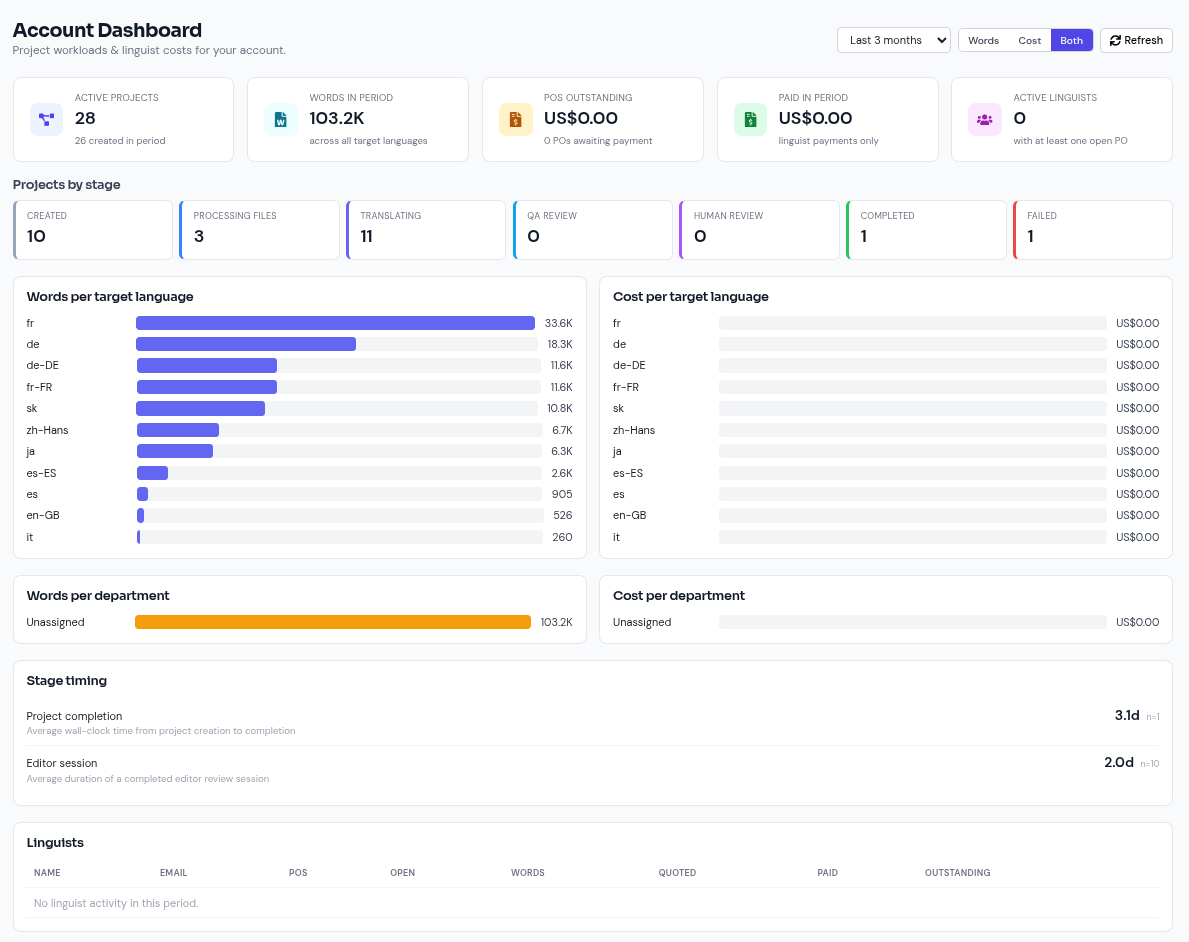
The Account Dashboard is the at-a-glance view of your organisation:
- Headline tiles: active projects, active linguists, words in period, paid in period, and POs outstanding (purchase orders).
- Projects by stage: where work currently sits in the Translation → Revision → Proofreading pipeline.
- Breakdowns switchable between Words, Cost, or Both, over a selectable period: last 1/3/6/12 months, year to date, or all time.
Usage and token costs
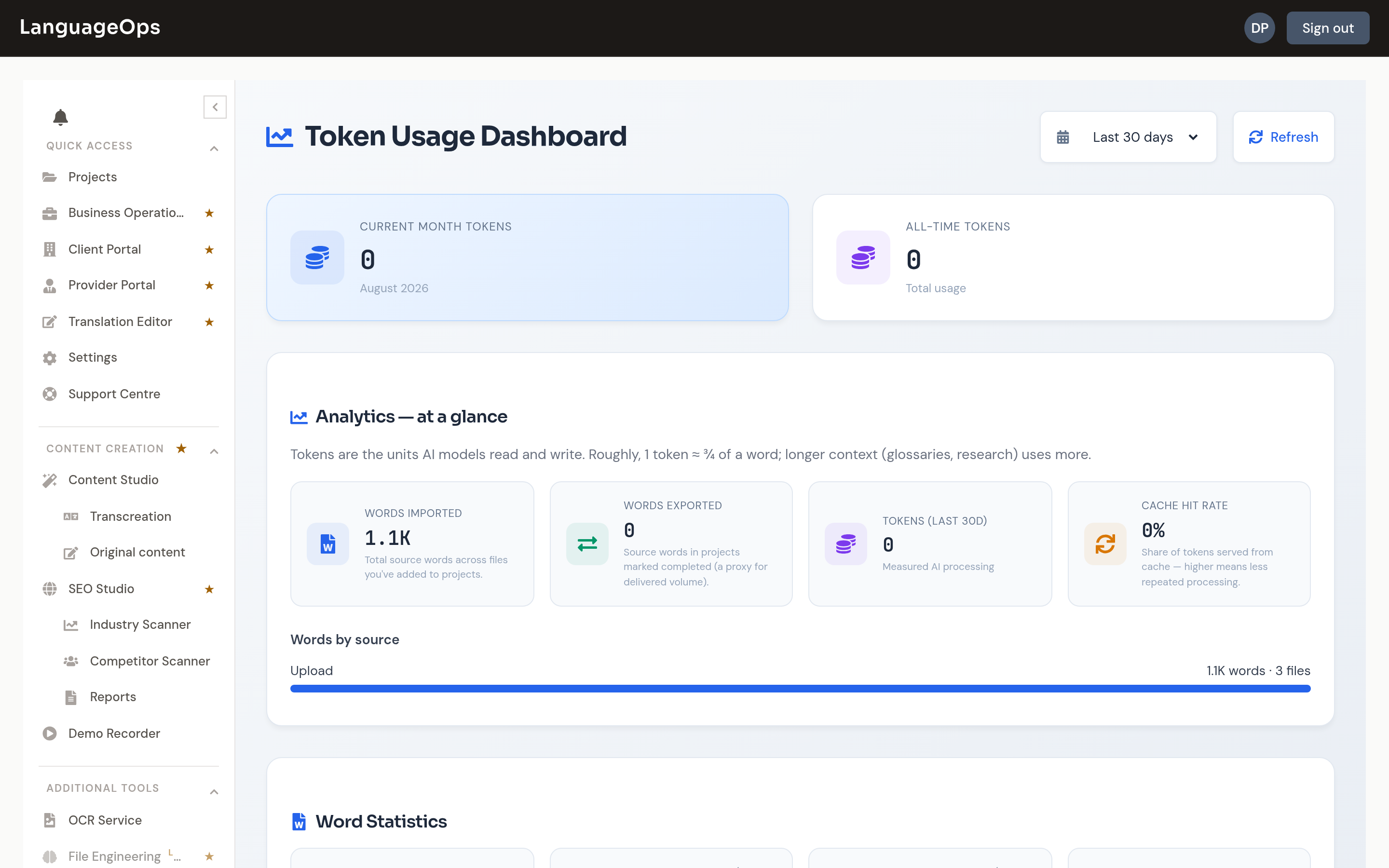
The Usage page tracks consumption of AI features, metered in tokens, over the last 7/30/90 days:
- Current month and all-time tokens and cost, plus total words imported and exported.
- Daily Usage Trend and Monthly Usage charts: spot unusual spikes early.
- Usage by Feature and a per-project breakdown: see where tokens are going so one heavy project does not surprise you at month end.
- Detailed Operation Breakdown: usage per operation type (translation, LQA, research, …).
- Efficiency metrics: average tokens per word for translation and LQA, cache hit rate, and a token expansion analysis showing how much context (TM/TB hints, research) inflates prompts relative to the source text.
Token alerts
The platform sends notifications as the organisation approaches its token allowance, so you can plan a top-up or upgrade before translation jobs start failing rather than after. Make sure admins have these notifications enabled in Settings → Notifications.
Keeping costs down
The biggest cost levers are workflow, not negotiation:
- Attach TM libraries to every project: 100% matches are pre-filled for free; they never reach the AI.
- Use TM-only runs (no AI) where leverage is high: repeat content from a well-stocked TM costs zero tokens.
- Use JSON key filtering on large files: translating only the keys that matter can cut volume by an order of magnitude.
- Watch tokens-per-word on the Usage page: a rising ratio usually means that oversized context, such as very long research notes, is attached to every batch.