Quality assurance
LanguageOps separates deterministic QA, linguistic assessment, and edit-distance reporting. Configure them according to the project's risk, client requirements, and workflow.
Rule-based QA
Rule-based QA catches reproducible issues such as:
- Inconsistent translations and reverse inconsistencies
- Exact-TM inconsistency
- Number, tag, and placeholder mismatches
- Required terminology and forbidden target terms
- Quotation structure, punctuation, and whitespace
- Character and target-length limits
- Source-equals-target and untranslated content
Checks come from an organisation-owned QA Check Profile. New projects snapshot the organisation's default profile, so later profile edits do not silently rewrite an active project's criteria.
On QA Settings, managers can create profiles, choose a default, configure individual checks, and decide whether required terminology is case-sensitive. In the editor, linguists can inspect the project's criteria but cannot replace its profile.
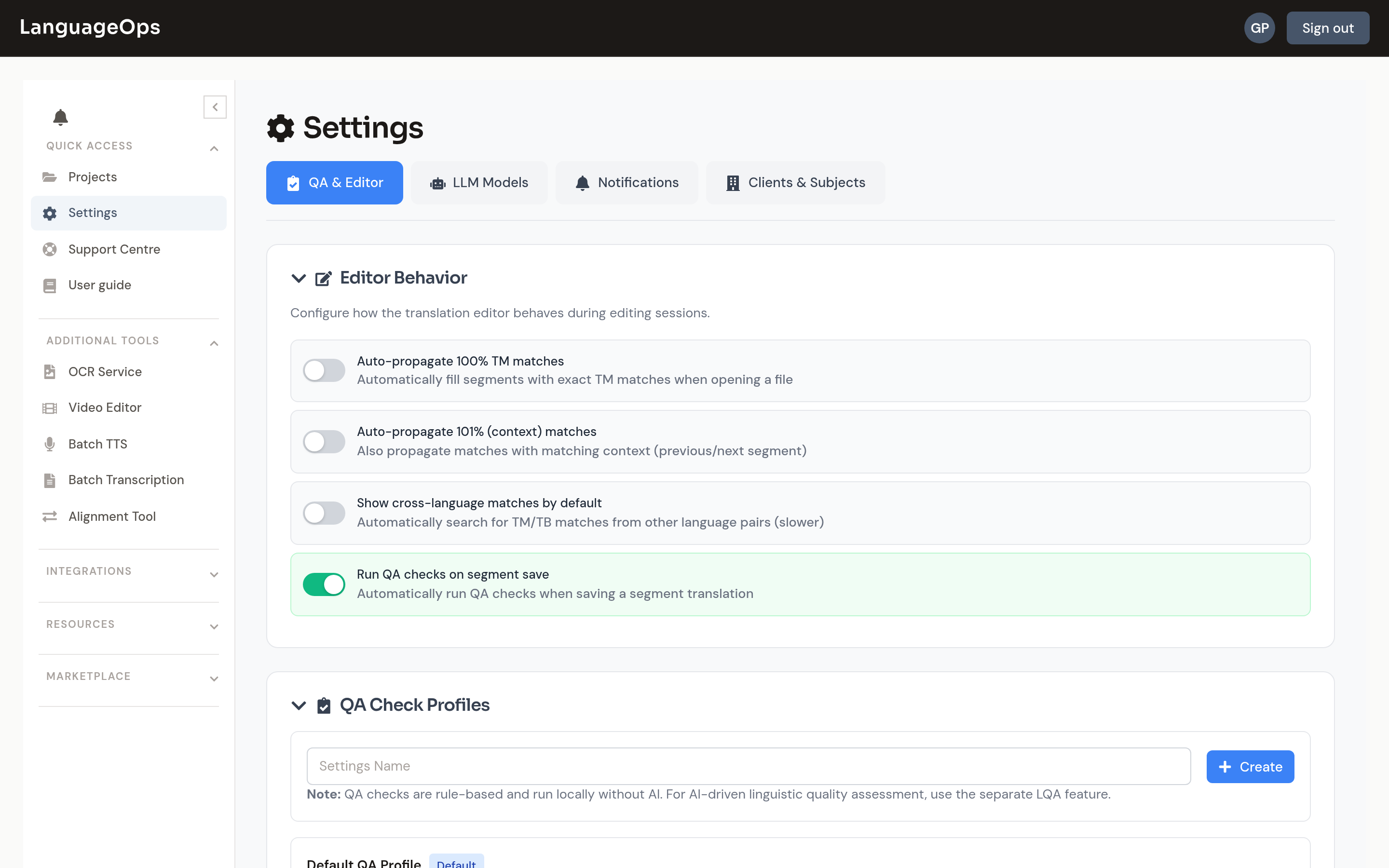
QA runs as a durable background job with progress, cancellation, coverage accounting, and recovery after refresh. A successful rerun becomes the current result set for its scope. When target text or QA settings change, affected results are marked stale until rerun.
LQA
LQA identifies linguistic issues by category and severity and can suggest corrections. It uses bounded project guidance by default, including selected style-guide content, a capped project glossary, and successfully extracted reference material. Reviewers can opt out for an individual run.
Major and critical LQA findings feed the delivery readiness check. Minor or neutral findings remain advisory.
LQA jobs retain their requested worklist and report partial provider failures. Editing a segment makes its old LQA finding stale rather than presenting it as current.
AI-assisted issue fixing
The editor can fix current QA issues, LQA issues, or both. A fix job freezes its scope, changes only actionable unlocked segments, returns changed approved segments to Reviewed, and verifies the requested quality systems afterward.
For linguists, fixing requires Auto-translate permission plus QA or LQA permission for every selected issue type. Managers retain access. A QA-only AI fix invalidates obsolete LQA on changed rows, which must then receive a fresh LQA run.
For token-free mechanical cleanup in a PM-run end-to-end workflow, use the separate safe QA fix stage. It currently limits changes to unambiguous whitespace repairs and reruns deterministic QA.
Where results appear
The editor's File Issues panel shows current and stale QA/LQA results across one or several joined files. Reviewers can filter Open, Ignored, or All dispositions, restore ignored findings, sort by document order, type, or severity, and navigate directly to unloaded rows.
Current-segment details show required terminology and direct fix actions. QA and LQA CSV exports preserve dispositions and addressed state for client reporting.
Edit-distance reporting
Edit Score measures how far a target moved from its primary translation baseline using an adaptive blend of Jaccard and Levenshtein distance. It is an effort and change indicator, not an independent linguistic verdict. Export the complete session as Edit Distance (CSV) when you need per-segment baselines and component percentages.
Delivery policy
Use Block delivery on open issues to choose warning or blocking behavior for incomplete work. Enable QA blocks delivery when a successful QA pass is mandatory.
Readiness can include unconfirmed segments, empty targets, unresolved comments, open major or critical LQA findings, and a missing required QA run. Non-managers cannot bypass block mode. A manager override is allowed but audited.