Translation memory and termbase
Two levels: project assets and libraries
- Project TM / project glossary: entries scoped to a single project, built up as segments are approved.
- Libraries: standalone Translation Memories and Term Bases (typically per client or domain) managed from the TM and TB pages in the sidebar, attachable to any number of projects.
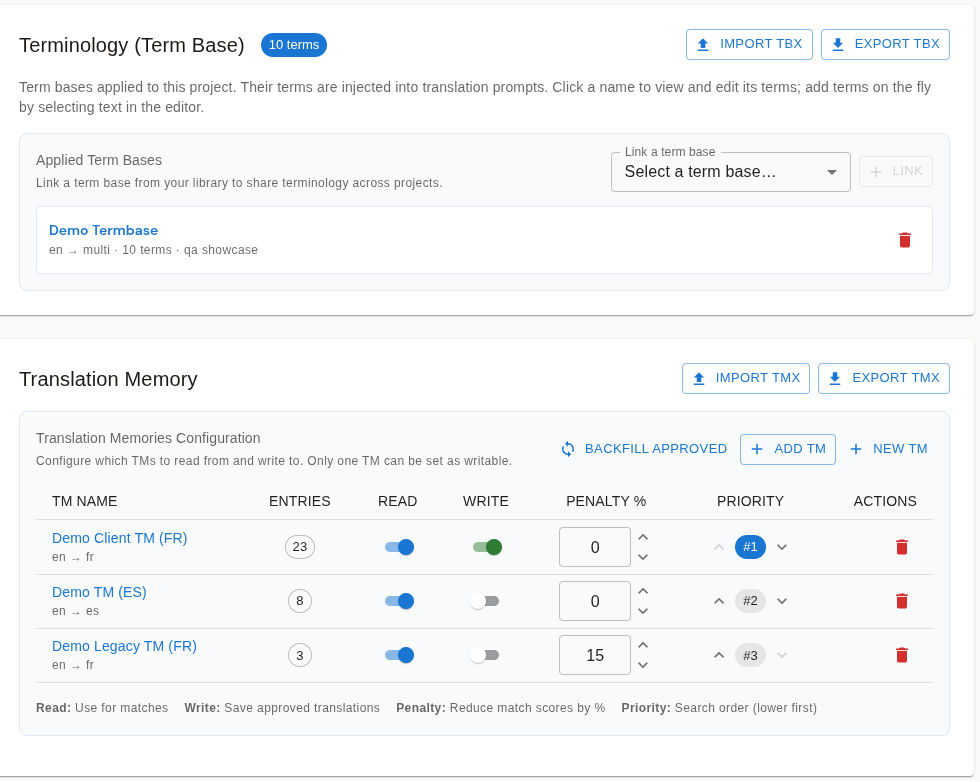
When a library is attached to a project, its entries participate in translation: TM provides exact and fuzzy matches, while TB guides prompts and terminology QA. Creating and managing libraries is for Admins and PMs. Assigned linguists normally have read-only lookup access, but a PM can independently allow them to add or edit terms in readable termbases attached to that project.
Translation Memories
Create Translation Memory with a name, description, language pair, and Fuzzy Match Threshold (%). The threshold is the minimum similarity for fuzzy matches from that TM. You can import a TMX file during creation or add entries later.
Each entry carries its source, target, quality score, and usage count. Search and edit entries directly in the browser alongside statistics, duplicate detection, and TMX or Excel export.
Match performance
Fuzzy matching uses an inverted index to retrieve candidates before fine-grained scoring ranks them. Matches appear as you move between segments.
Matching is script-aware: for Chinese, Japanese, Korean, and Southeast Asian languages, similarity is computed on characters rather than space-separated words, so fuzzy matches work properly where "words" aren't delimited.
Cross-language lookup
TM and TB lookups can search across language pairs, not just the project's own: if you've translated a sentence into German, that entry can surface as reference context when translating the same source into French. Enable it per translation run (Include cross-language matches in the pre-translate dialog) and as an editor default (Show cross-language matches by default in QA Settings). The editor shows searched memories, match priority, and penalties so reviewers can see why a suggestion ranked where it did.
For organisations using Phrase alongside LanguageOps, a TM can be compared and synced with a Phrase TM. The diff view classifies entries as identical, changed, only in Phrase, or new to upload.
Term Bases
Create Term Base with languages and a domain. Each term entry holds the source and target terms plus optional definition, context, domain, notes, and tags.
Terms can also be edited in the browser. Open an entry, adjust the target or metadata, and save. Two provenance markers help with curation:
- Manual Entry vs Auto-Extracted: automatically harvested terms are marked for review.
- Verified vs Uncertain reliability: promote terms to Verified after linguistic confirmation.
Term bases can be Active or Archived, and import/export as TBX or Excel.
In the editor, an authorised linguist can add a term from explicit source and target selections or edit an attached entry in the shared term dialog. These project-level permissions do not grant access to create, archive, or administer the underlying termbase library.
Termbase checks are language-aware: glossary QA validates the target-language terms for the file being checked instead of treating every target language as interchangeable.
Alignment
If you have existing translated document pairs but no TM, the Alignment tool pairs source and target documents sentence by sentence. Upload the file pair, get an estimate, and review each aligned pair's confidence. Problem sentences are flagged for correction and rerun. Past jobs remain available for reference.